Feature overview
Food Tracking App and Nutrition Logging
Log meals quickly and keep nutrition trends easy to follow.
Capture meals by photo, barcode, recipe, or manual entry and build a nutrition diary that supports weight, energy, and health goals.
Helfi is built to reduce the friction of meal logging while keeping the data accurate enough to review each week.
Photo-assisted analysis gives you a starting point, and manual edits keep the final entry under your control.
Consistent food logging feeds into weekly insights and makes nutrition trends more meaningful.
As a food diary app and nutrition tracking app, it supports macro tracking, packaged foods, and manual entries in one flow.
It works as a food calorie tracking app, a calorie tracker app, an AI calorie tracker app, an AI food tracker app, and an AI food calorie tracker app in one place.
Key capabilities
Built for deeper health context
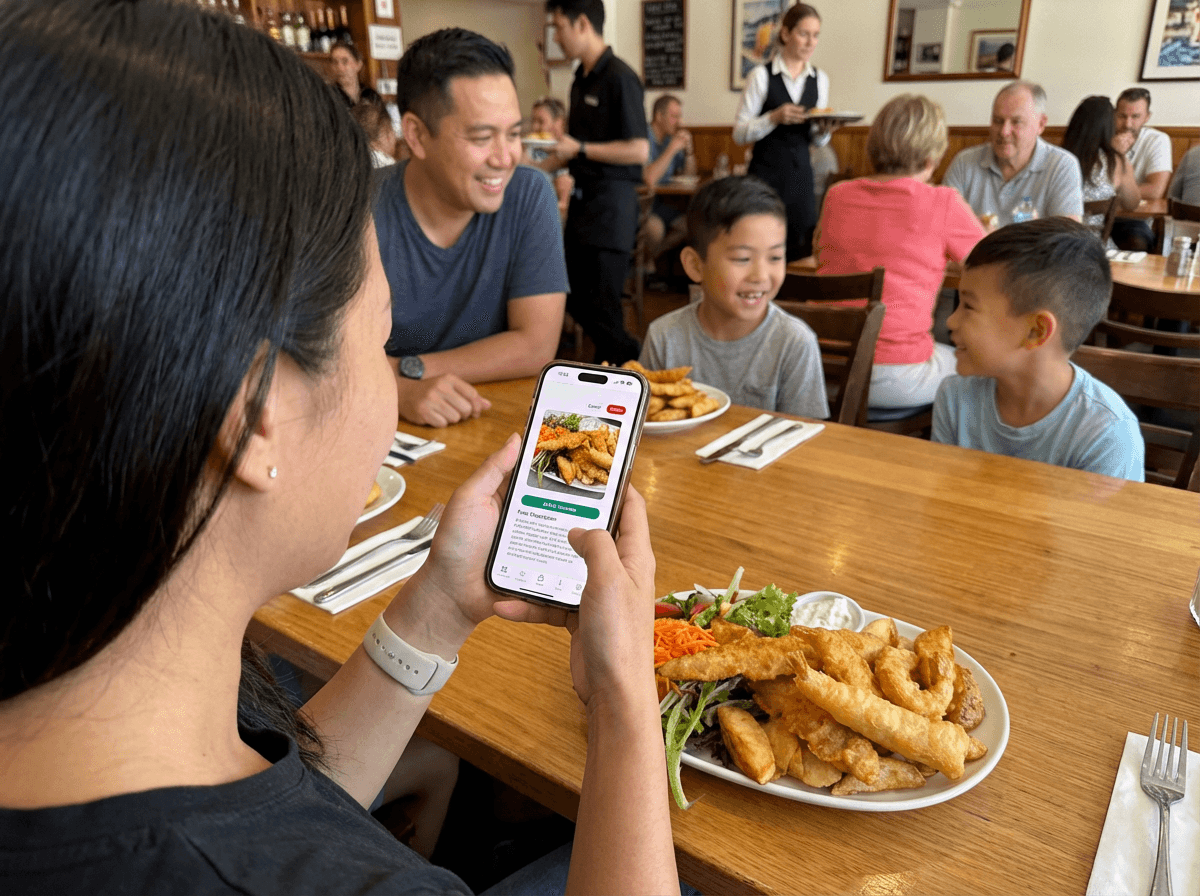
Photo-assisted logging
Snap a photo and review suggested ingredients before saving the entry.
Flexible meal editing
Adjust portions, swap ingredients, or build meals manually when needed.
Nutrition trends
Track macros, calories, and nutrient trends alongside your health goals.
Packaged food lookup
Scan barcodes or search branded foods to log packaged items quickly.
Recipe import and meal reuse
Import recipes, save favorites, and reuse common meals without rebuilding them from scratch.
Water and drinks tracking
Log water, coffee, tea, and soft drinks so hydration habits stay visible with your food diary.
How it works
A detailed walkthrough
Step 01
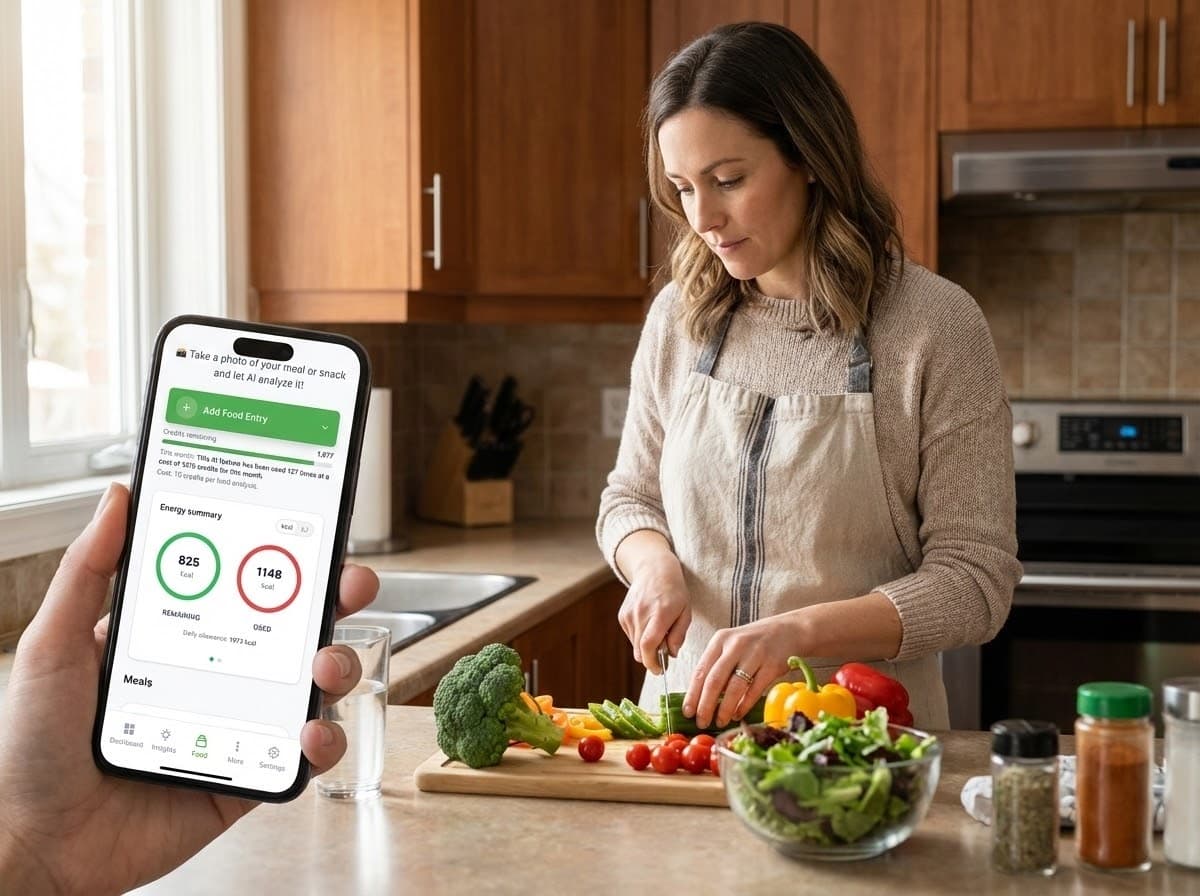
Capture meals in real life
Log meals wherever you eat so the diary stays accurate without interrupting the moment.
Snap meals at home, in the office, or out at a restaurant to keep the log realistic.
Photos give you visual context later when you review trends or spot patterns.
You can capture quickly and add detail once you have time.
- Designed for real-world meals
- Works at home or while dining out
- Keeps a visual record for later review
- Pairs with the AI scan step next
- No heavy typing to get started
Step 02
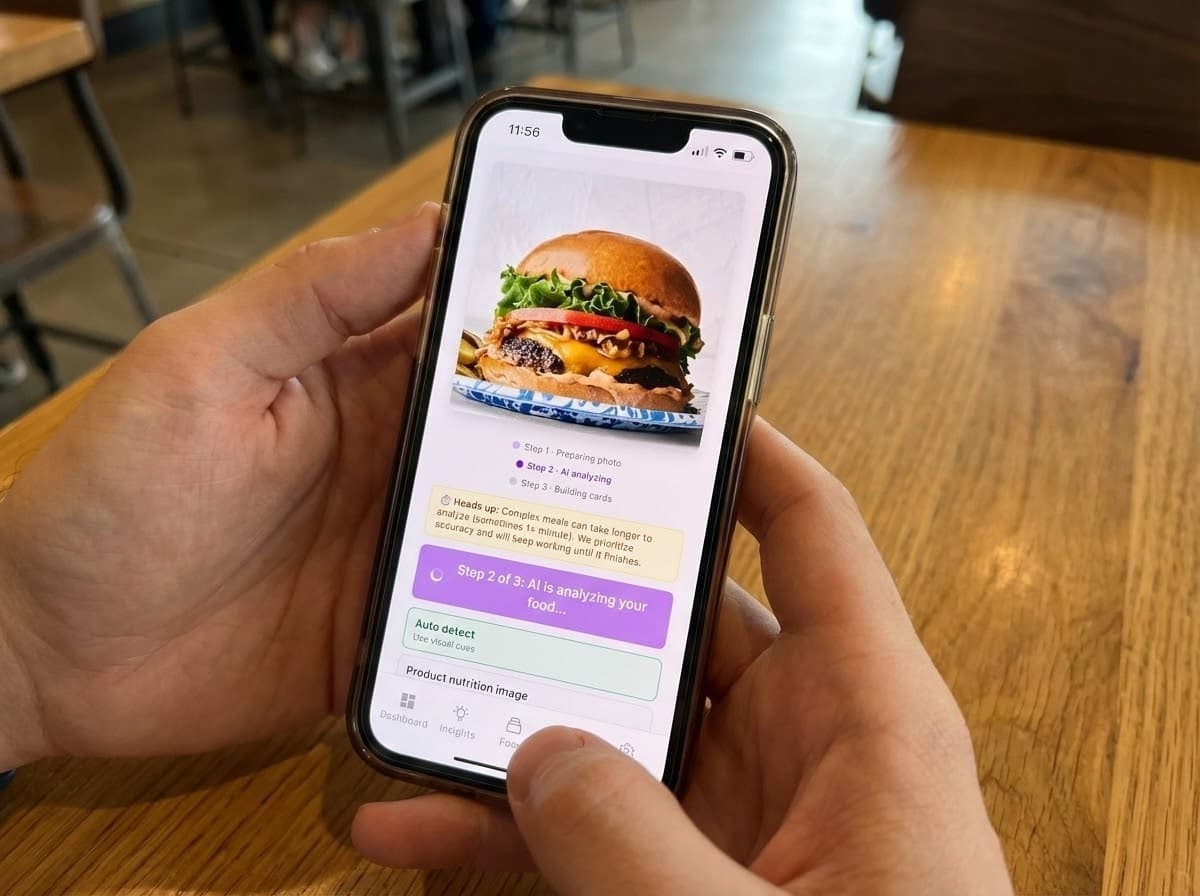
AI food photo notes and ingredient breakdown
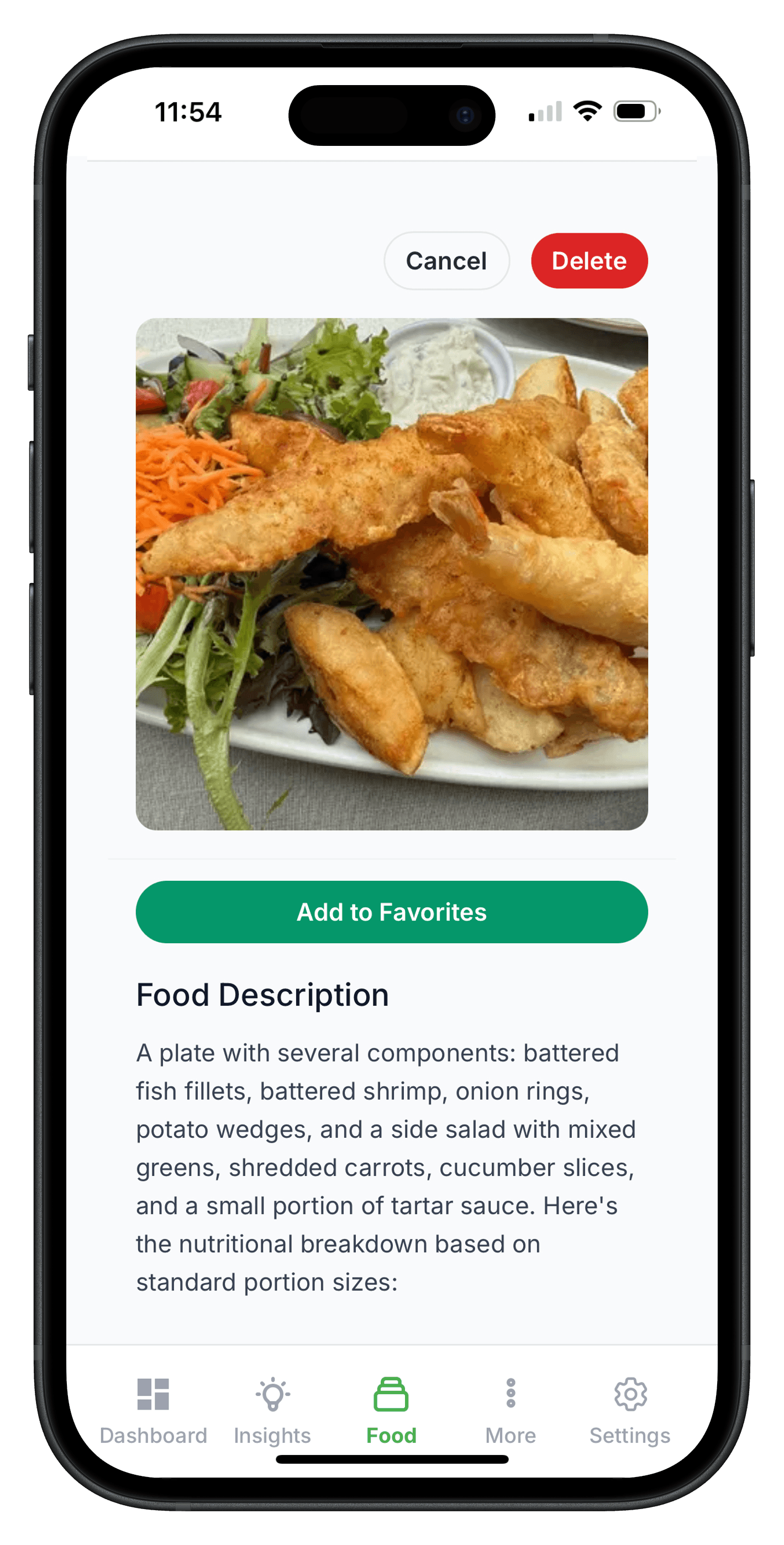
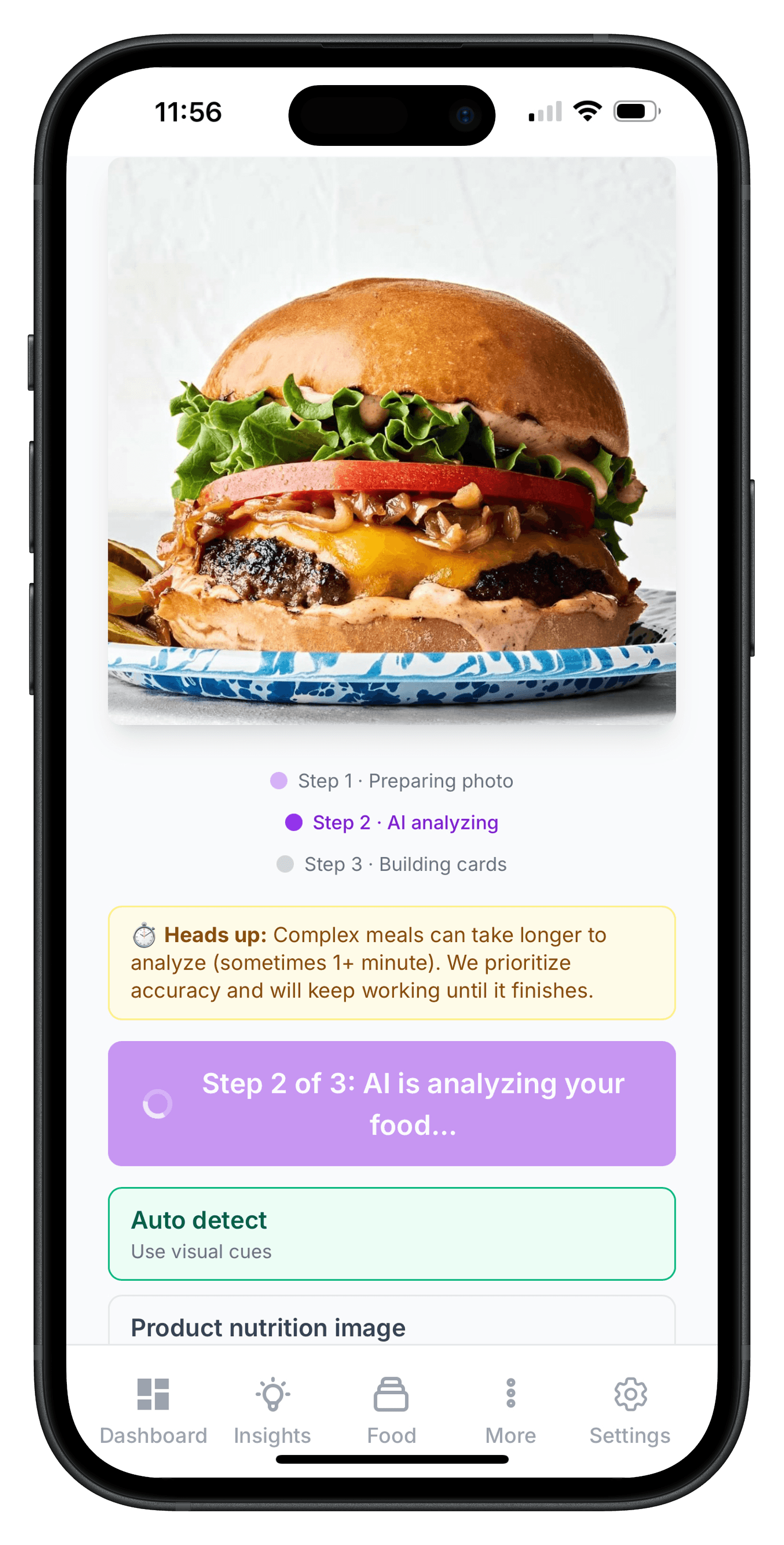
Upload a meal photo and start with a structured breakdown.
Food photo notes provide a quick starting point for ingredients and portions.
You can review the entry and adjust it before saving the final log.
This keeps the workflow fast while still letting you refine the data.
- Quick capture from your phone
- Review suggested items before saving
- Ingredient cards auto-populate
- Built for fast daily use
- Keeps the diary consistent
Step 03
Manual edits and build-a-meal
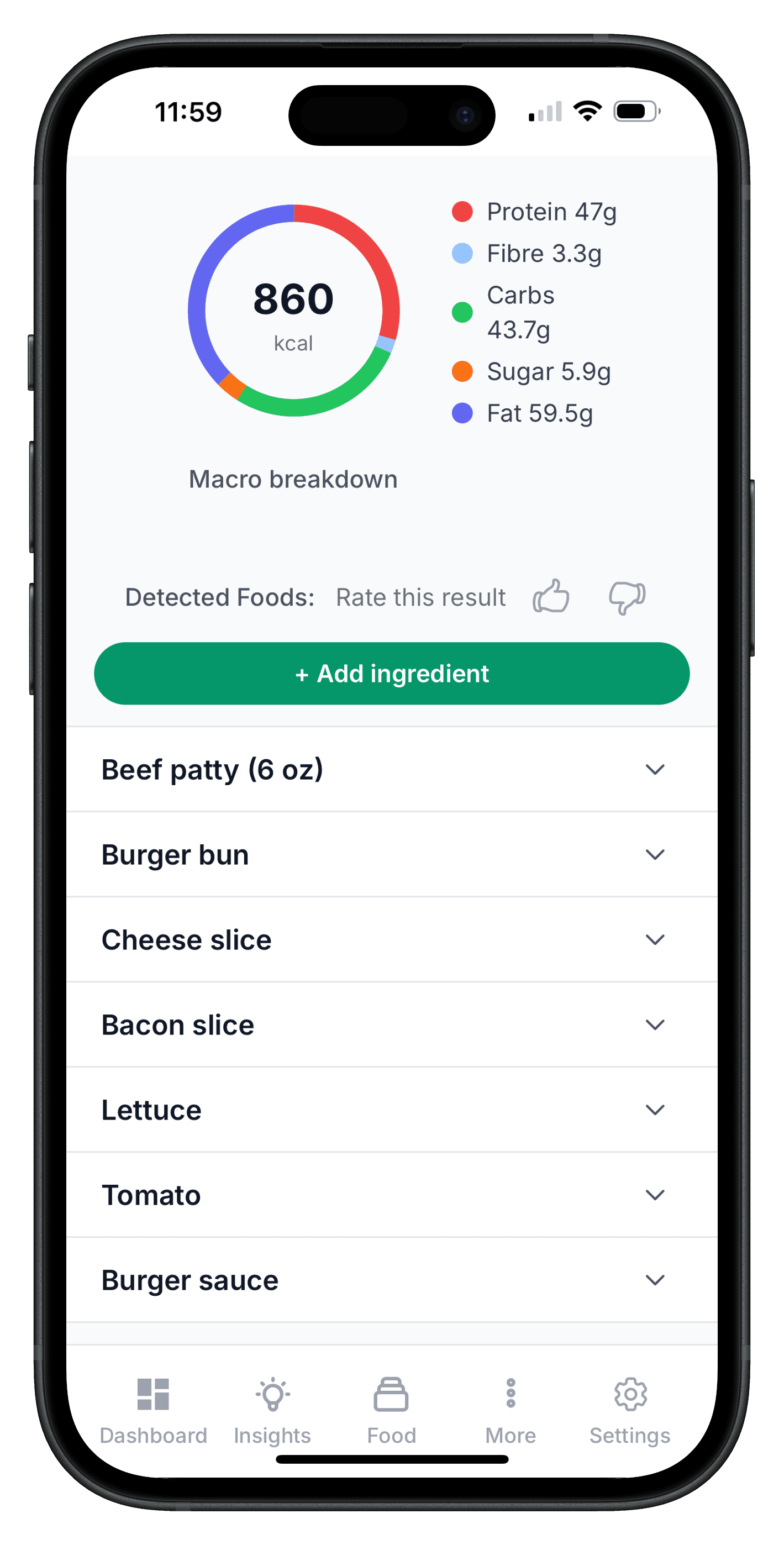
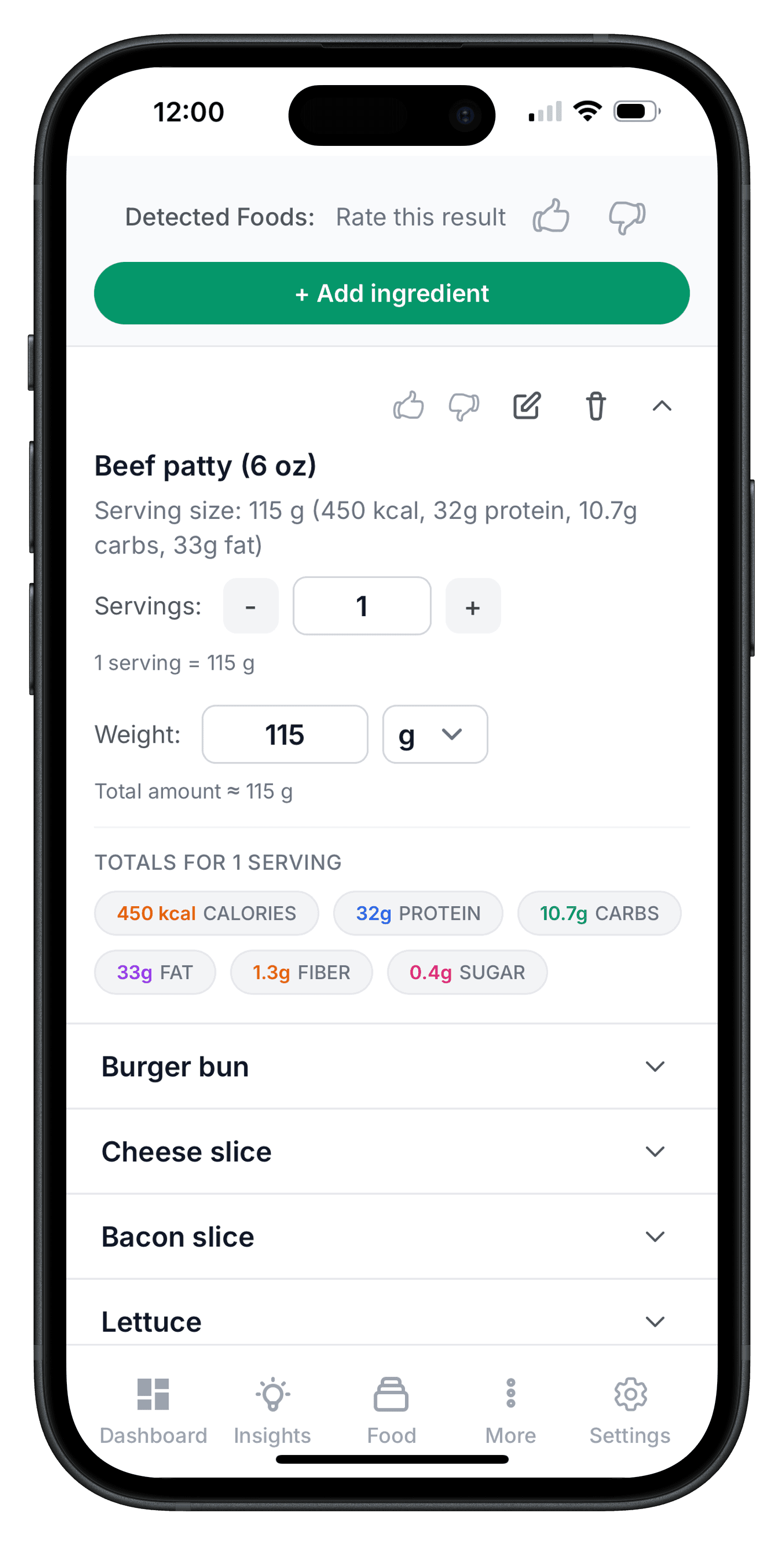
Create meals manually when you need more control.
Search ingredients, adjust portions, and build meals from scratch.
This keeps entries accurate when a photo alone is not enough.
Saved meals make it easier to repeat common recipes.
- Manual ingredient search
- Portion control and adjustments
- Save common meals for reuse
- Full control over your log
- Aligned with your nutrition goals
Step 04
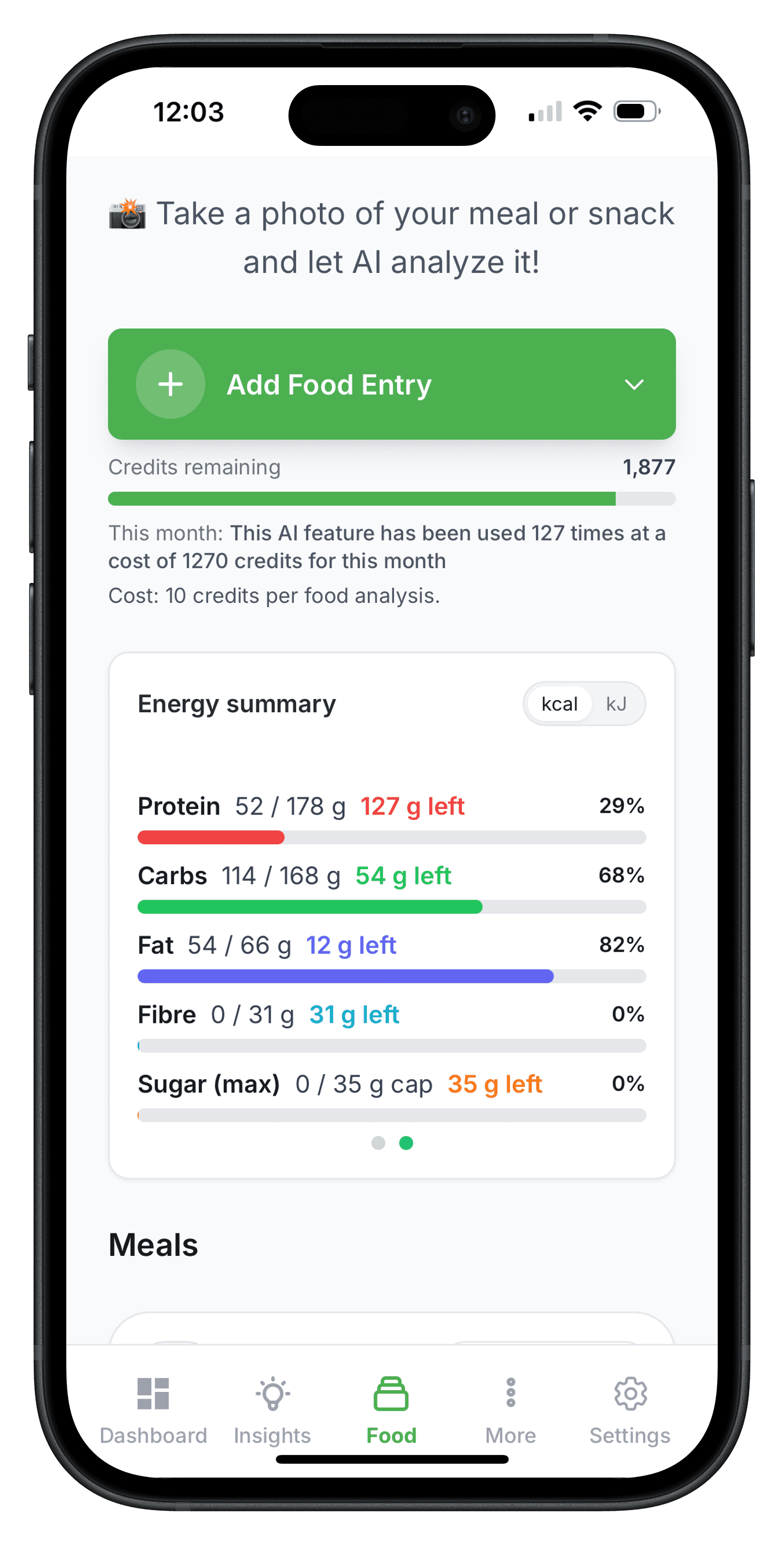
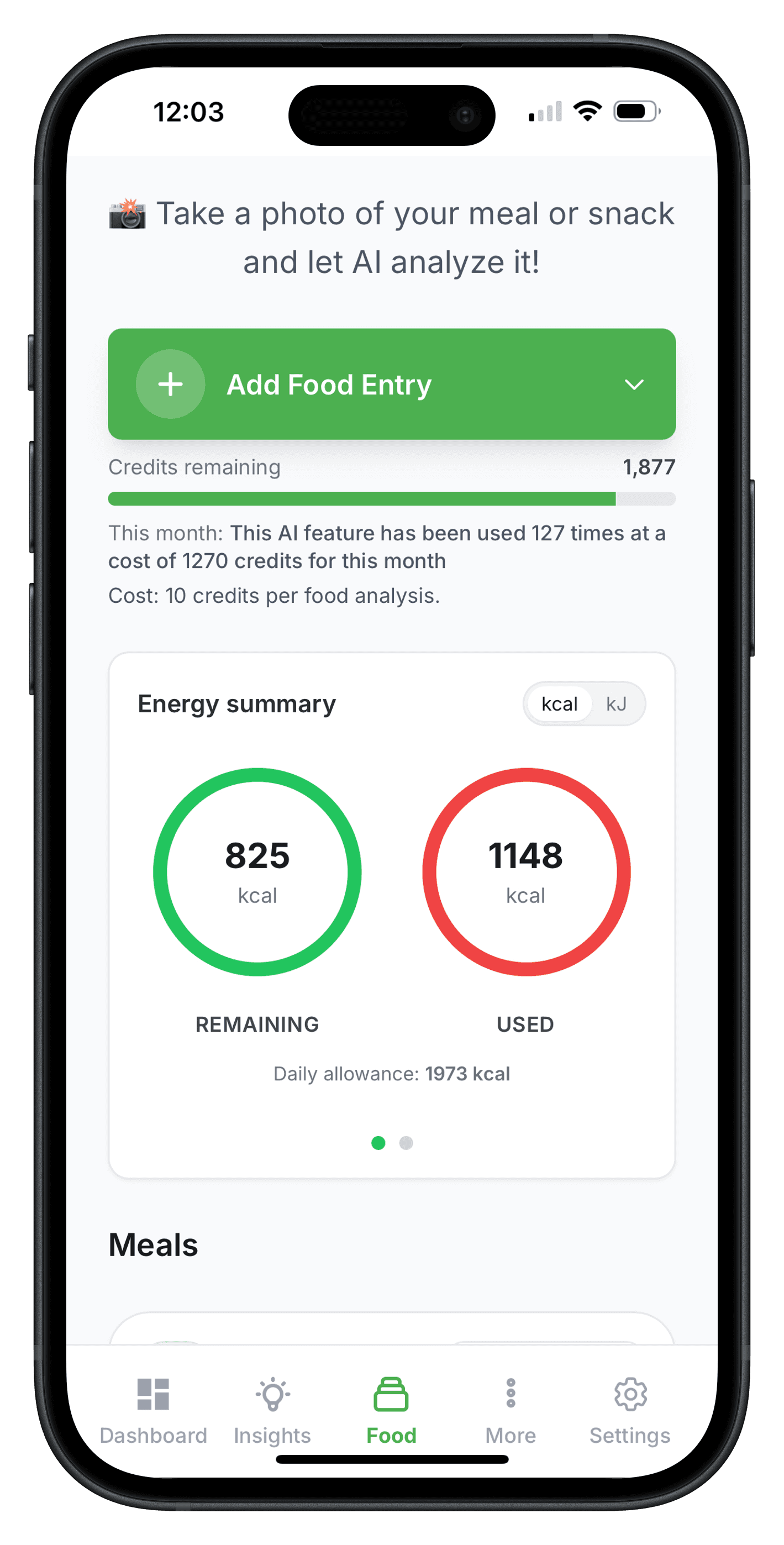
Meal categories and nutrition totals
Track breakfast, lunch, dinner, snacks, and totals in one clean daily view.
Each meal category stays separate so you can quickly see where calories and macros are coming from.
Daily and weekly totals help you compare your intake against your targets.
This structure makes your food diary easier to review and easier to improve.
- Breakfast, lunch, dinner, and snack categories
- Daily calorie and macro totals
- Clear summary cards and trend views
- Built for fast weekly review
- Aligned with your health and nutrition goals
Step 05
Packaged foods and barcode scanning
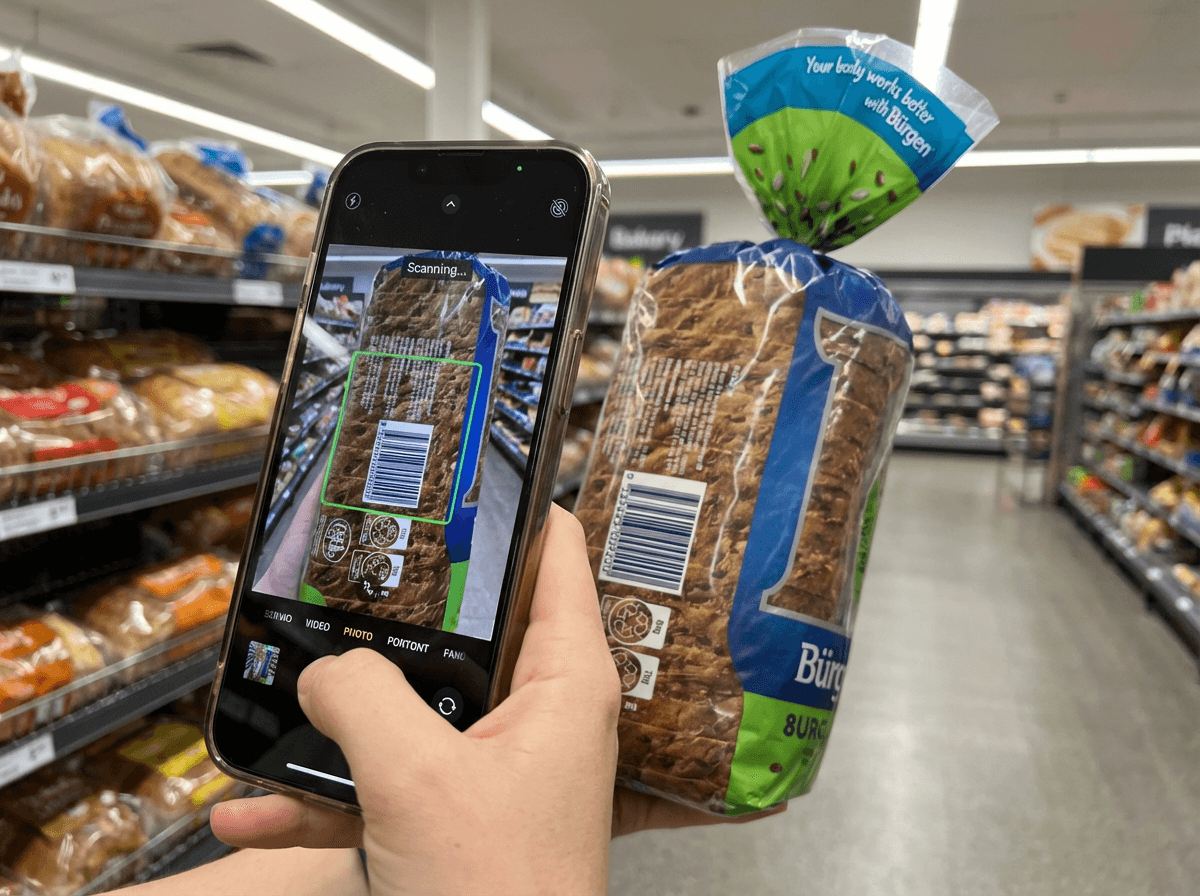
Log packaged foods faster with barcode lookup and branded product entries.
Barcode lookup pulls nutrition data from multiple sources so you can add packaged items without manual entry.
Branded foods stay in your diary with serving sizes and nutrition details you can edit.
This keeps packaged food logging consistent with your photo and manual entries.
- Barcode scanning for packaged foods
- Branded product nutrition details
- Fast add to your food diary
- Edit portions and serving sizes
- Keeps entries aligned with weekly insights
Step 06
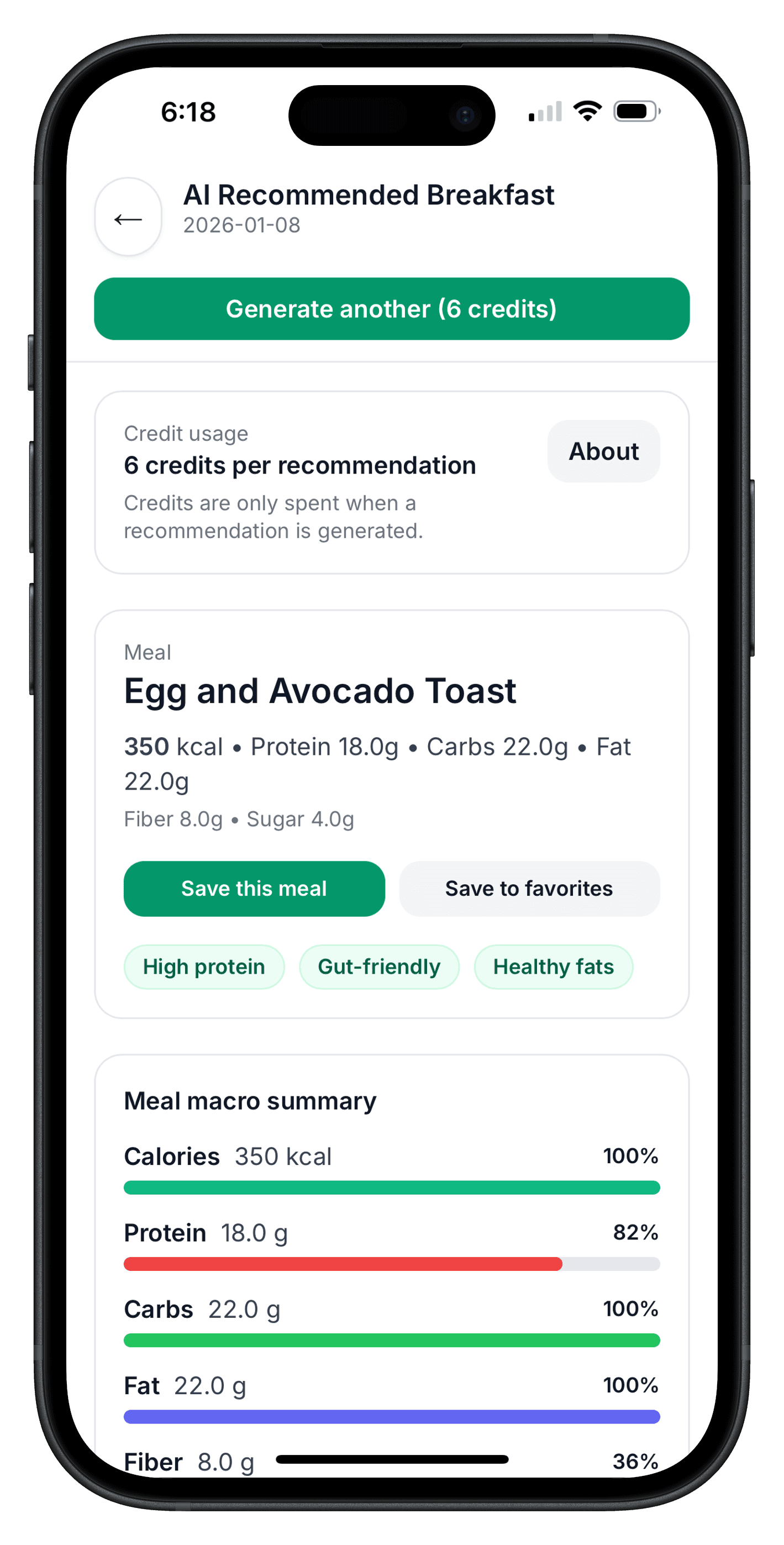
AI recommended meals and context
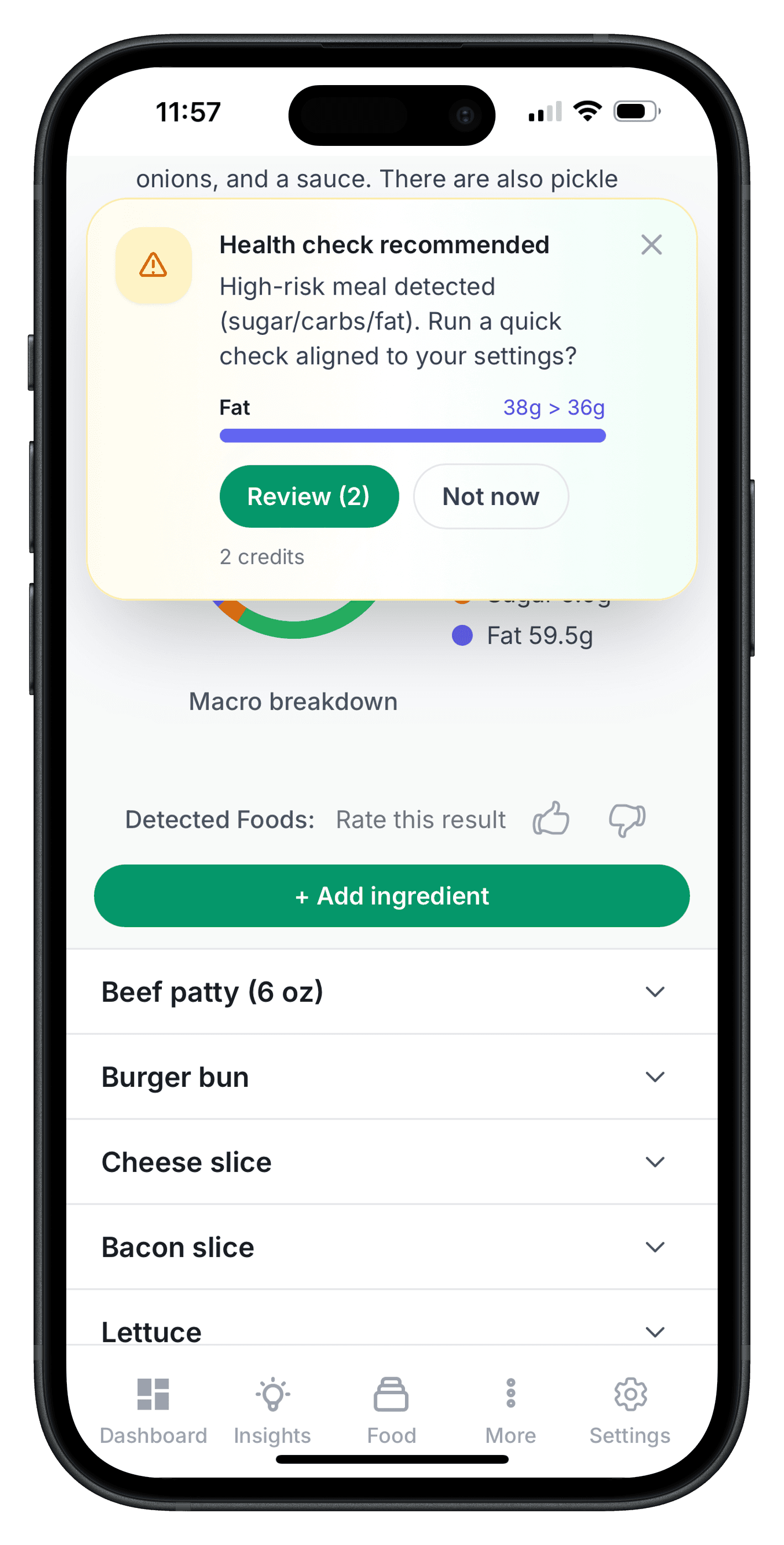
Use AI meal suggestions to plan faster while staying aligned with your goals.
Helfi can recommend meal ideas based on your current food diary patterns and targets.
You can review why a meal is suggested before you save it.
This speeds up meal planning while keeping your choices in your control.
- AI recommended meals for daily use
- Reasoning and context before saving
- Goal-aligned suggestions
- Less meal-planning guesswork
- Built around your tracking history
Step 07
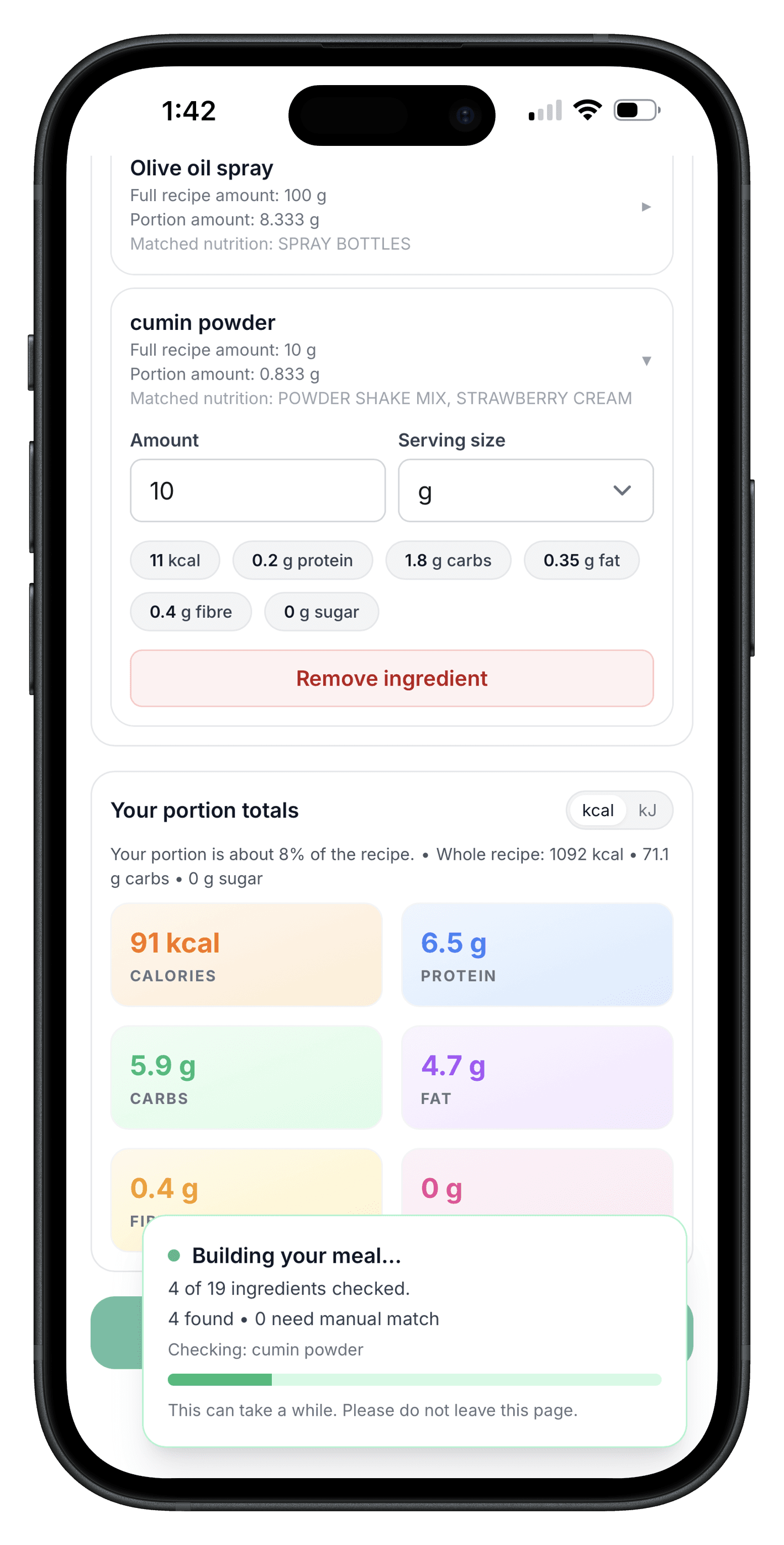
Import recipe and review before saving
Import recipes quickly, then check ingredients and portions before adding them to your diary.
Recipe import helps you avoid manual typing for long ingredient lists.
You can review and edit the recipe output so the final entry matches what you actually cooked.
This keeps your nutrition log practical for home meals and meal prep.
- Import recipes from your recipe workflow
- Review ingredients and quantities before saving
- Edit for your exact serving sizes
- Works well for batch cooking and meal prep
- Saves time compared with manual entry
Step 08
Favorites and reusable meals
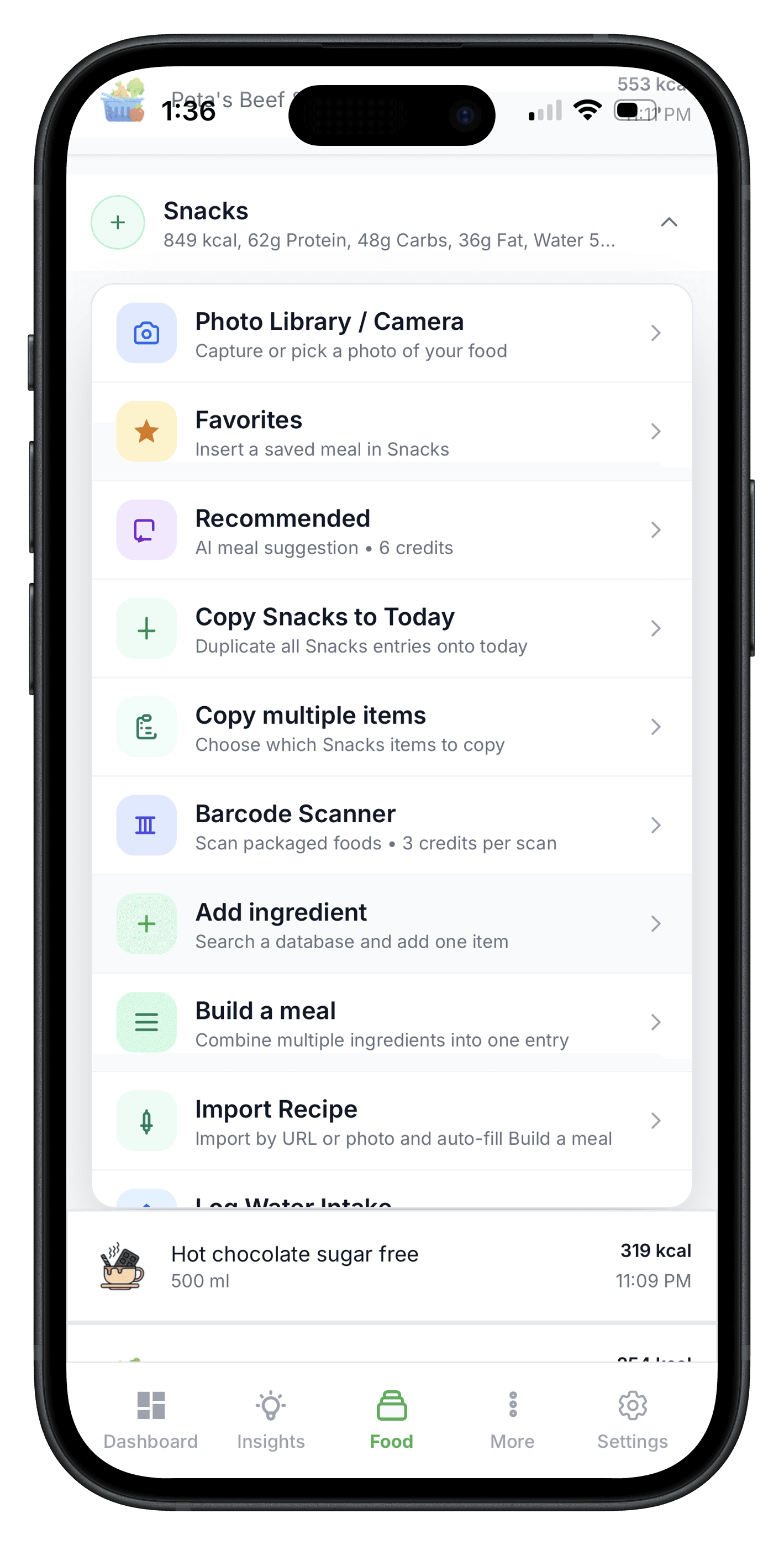
Save meals you use often and add them back in seconds when you need them again.
Favorites reduce repeat work for common breakfasts, lunches, snacks, and drinks.
Reusable meals keep your diary consistent even on busy days.
This is especially useful when you rotate the same food choices each week.
- Save meals to favorites for quick reuse
- Keep common meals consistent across days
- Faster logging for repeat foods
- Great for routine meal plans
- Reduces daily tracking effort
Step 09
Copy duplicate and combine tools
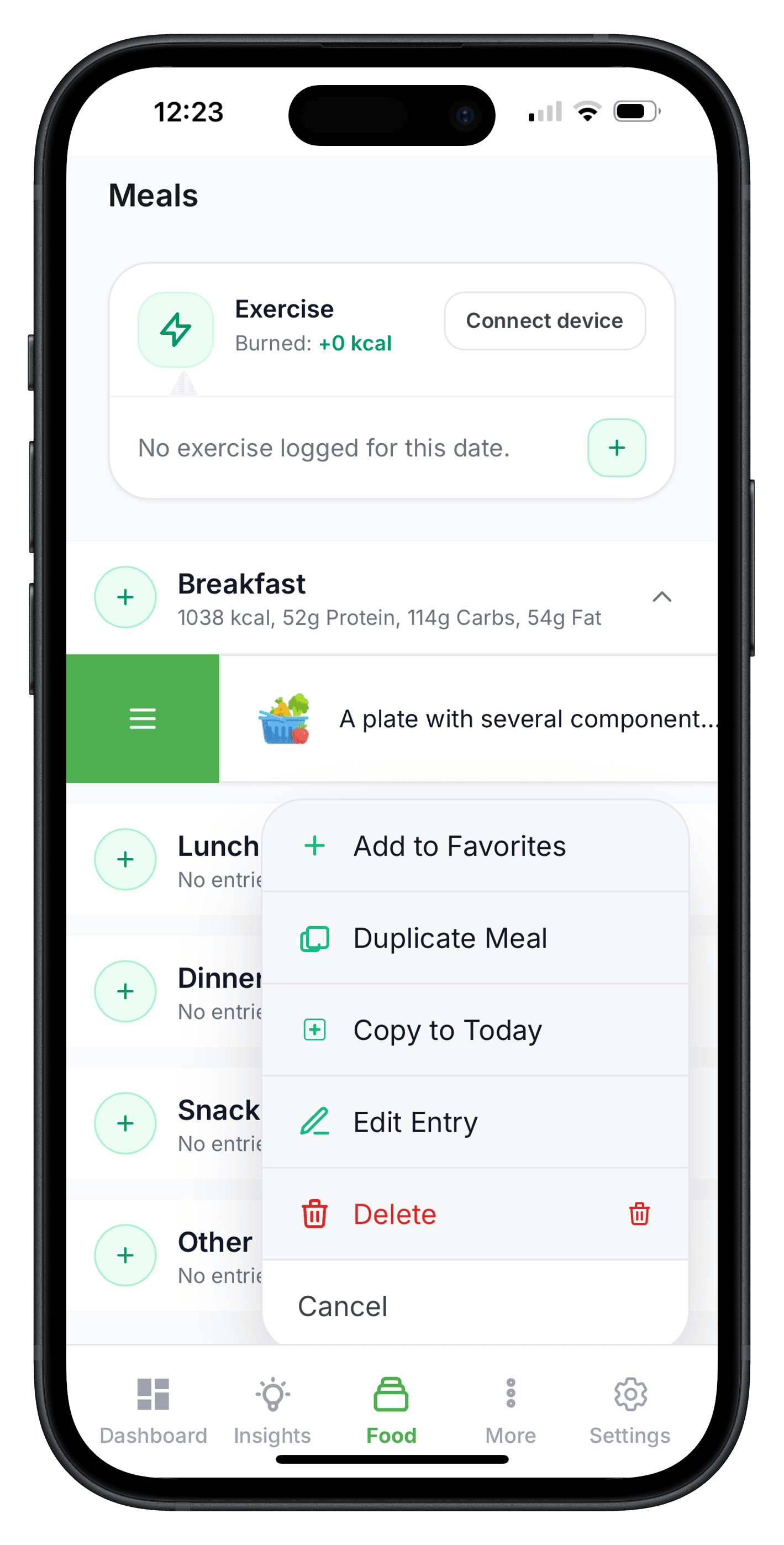
Move faster with built-in tools to copy, duplicate, and combine existing meal entries.
Instead of rebuilding every meal, you can duplicate or copy entries from previous logs.
Combine tools help you merge foods into cleaner entries when needed.
These tools are designed to speed up food logging without losing control.
- Copy entries to today quickly
- Duplicate meals with one action
- Combine existing food items into one entry
- Useful for recurring meal patterns
- Saves time in daily tracking
Step 10
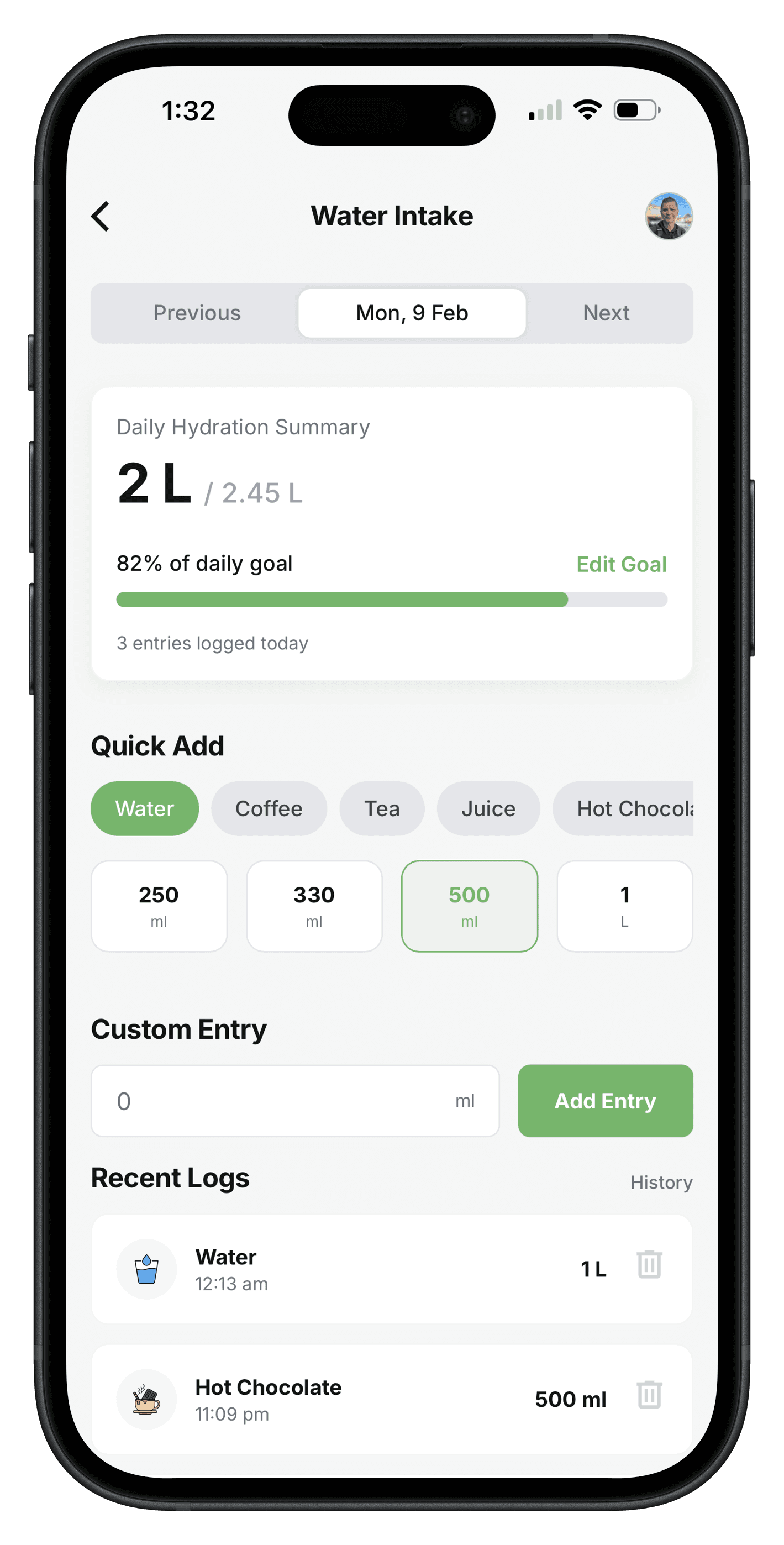
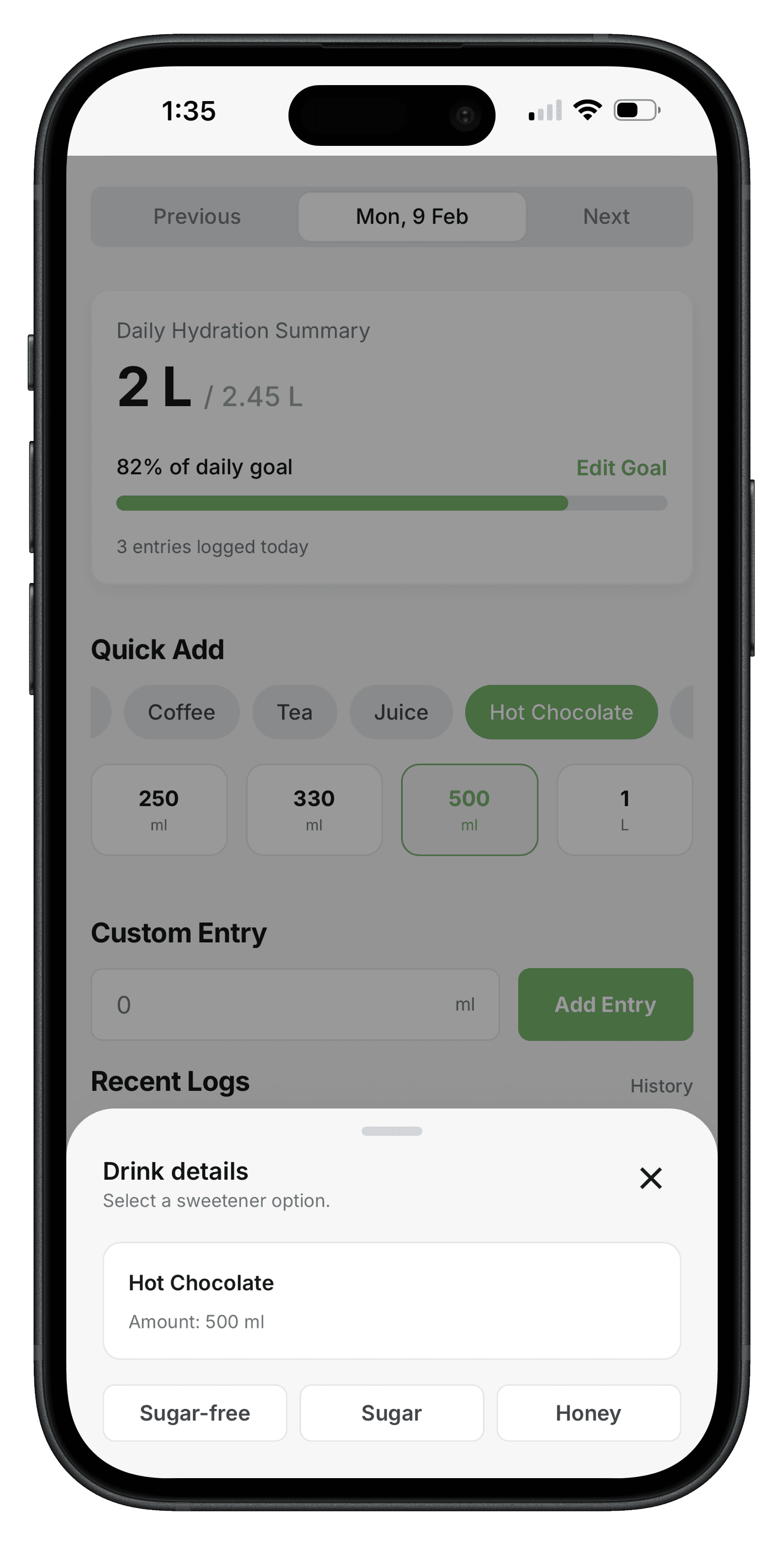
Water and drinks logging
Track water and everyday drinks so hydration habits stay connected to your nutrition data.
You can log water, tea, coffee, and soft drinks in the same flow as your meals.
Keeping drinks visible helps with hydration consistency and full daily intake tracking.
This section is built to keep fluid logging simple during busy days.
- Water and drinks in one daily log
- Supports common drink types
- Helps with hydration consistency
- Works alongside calorie and macro tracking
- Keeps your food diary complete
Use cases
Who this is for
Everyday meal tracking
Keep a consistent food diary without spending time on manual entries for every meal.
Goal-based nutrition
Monitor nutrition against wellness goals such as energy, sleep, or digestion support.
Performance nutrition
Track macronutrients and fueling habits to support training routines.
Outcomes
What this feature unlocks
- Faster meal logging with edits you control.
- Nutrition trends that show up in weekly reports.
- Clearer links between what you eat and how you feel.
- A consistent food diary that is easy to maintain.
- Better alignment between meals and health goals.
- Less manual work when reviewing nutrition patterns.
Ready to see it in action?
Create an account and start tracking today. Your first week powers the weekly report.